VC.
OraScan H — Halitosis IoT Device logo
HardwareMobileAI/ML

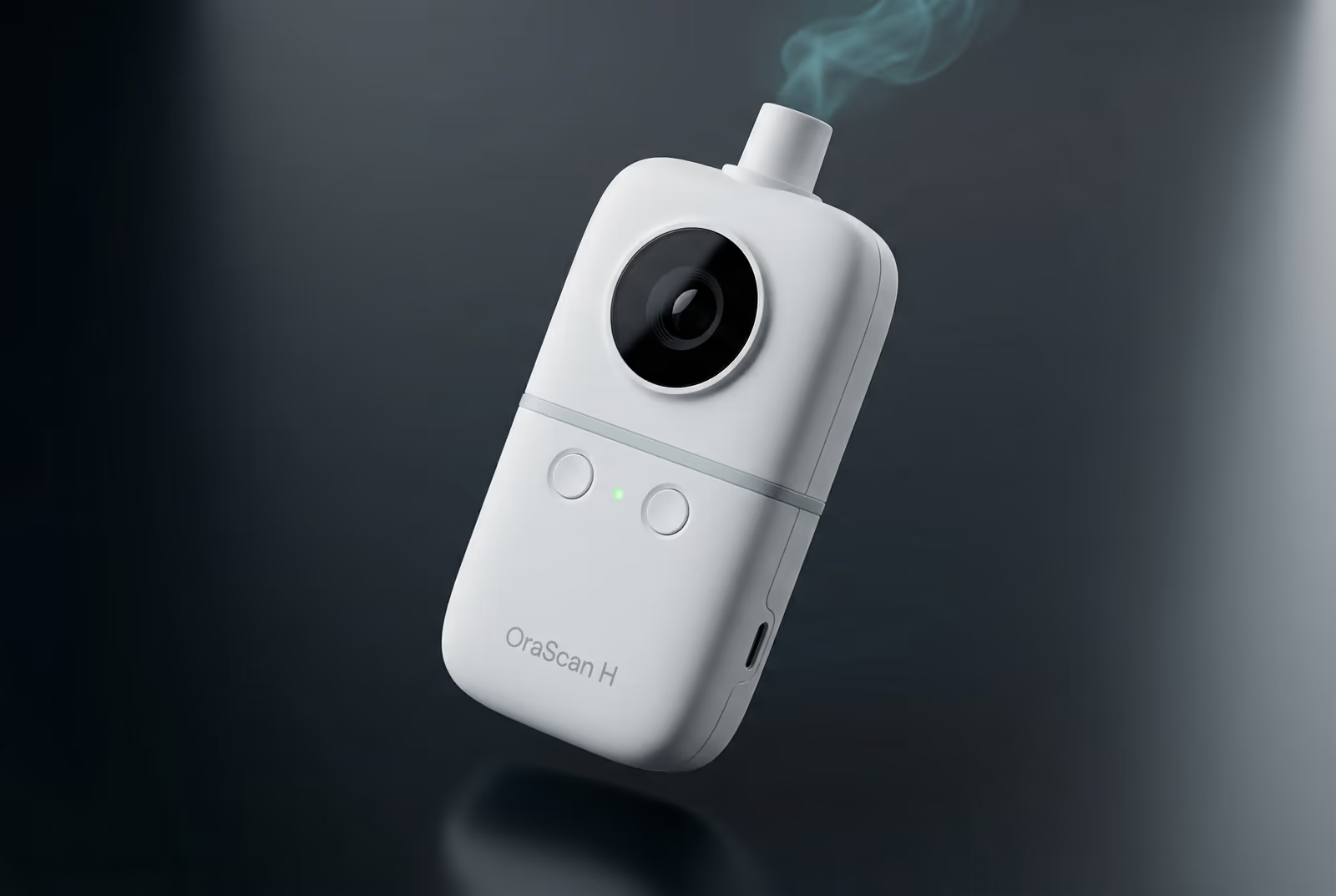
OraScan H — Halitosis IoT Device

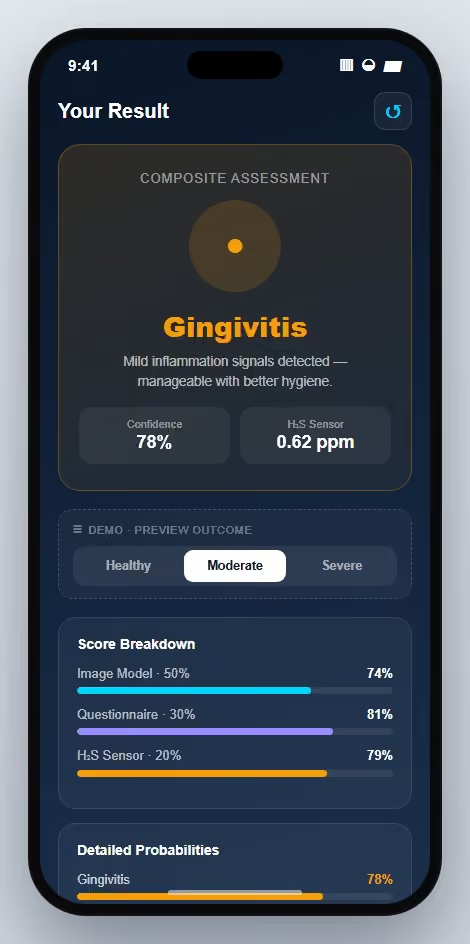
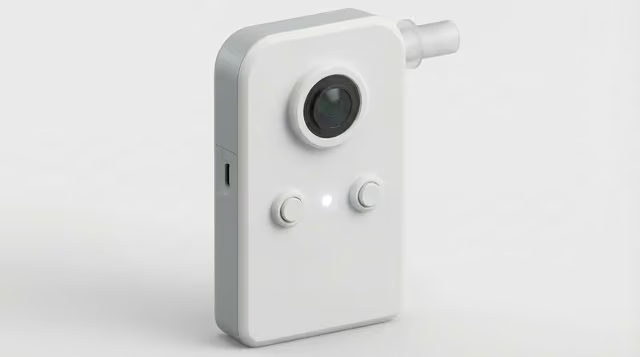
Hardware + BLE + AI in your pocket — clinical halitosis detection as a consumer device.

0%

Software Completion

< 0s

BLE Scan-to-Result

0

Gas Sensor Arrays

Tech Stack

PythonFlutterRaspberry PiTFLiteBLEPHPH2S Sensors

The Challenge

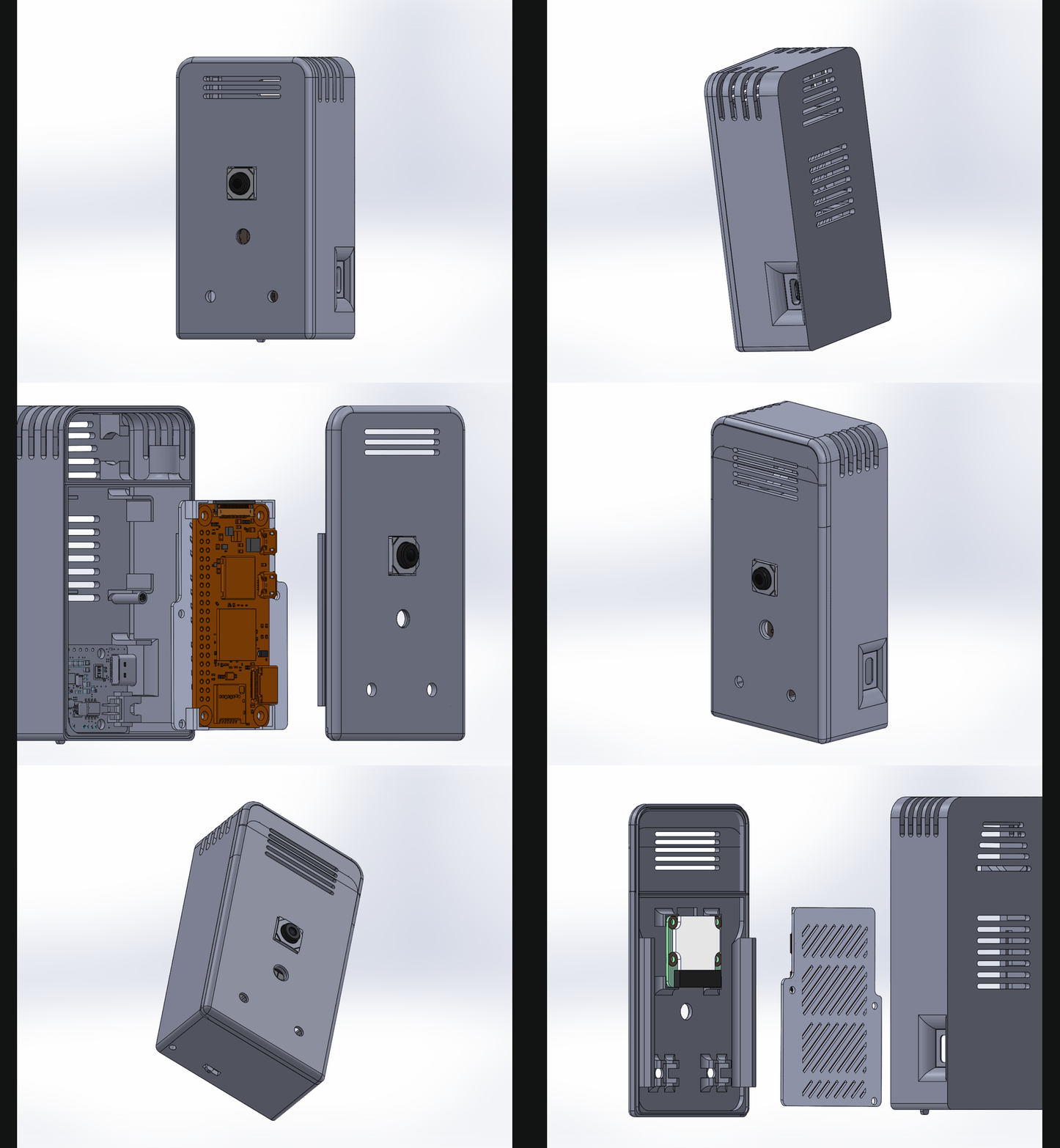
Halitosis affects an estimated 25% of the population but is severely under-diagnosed due to social stigma around clinical evaluation. The product needed to be a consumer-grade, handheld device that anyone could use at home — not a lab instrument. The engineering challenges were multi-layered: H2S sensor signal is noisy and temperature-sensitive, requiring careful analog conditioning; the Raspberry Pi Zero 2W has only 1 GB RAM, constraining the on-device AI pipeline; the Flutter mobile app needed to reliably pair via BLE, stream sensor readings, and present results in a clinically actionable way.

Architecture & System Design

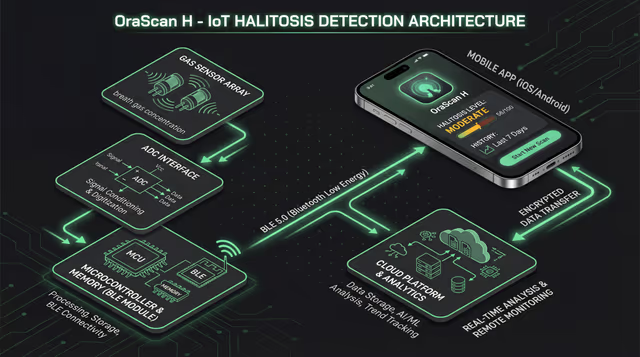
OraScan H — Halitosis IoT Device system architecture
Full system schematic available upon request

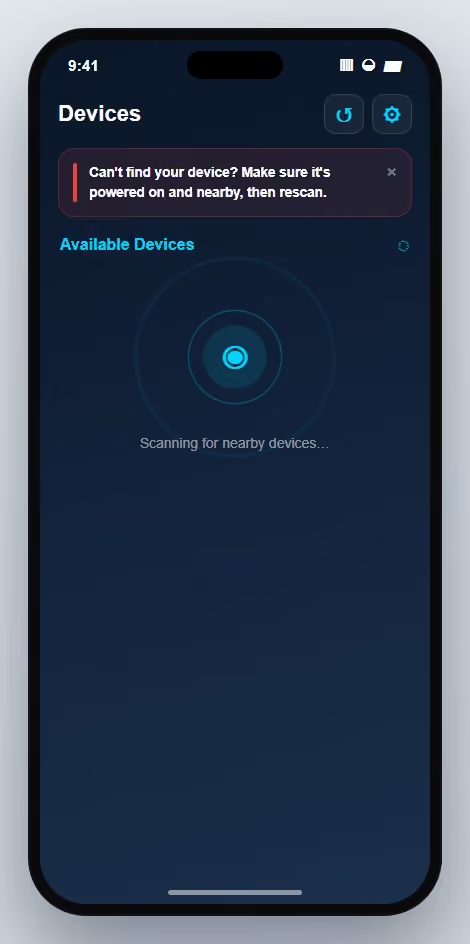
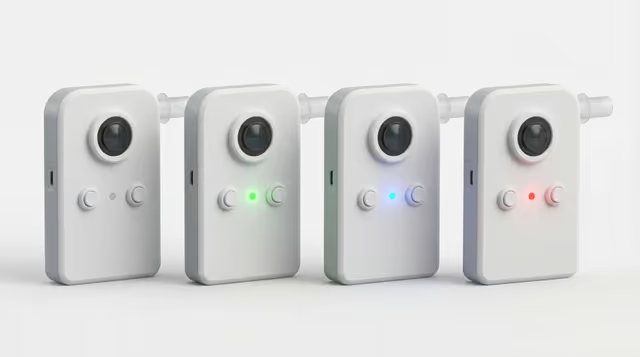
The hardware stack centres on a Raspberry Pi Zero 2W running a Python BLE GATT server (D-Bus/BlueZ). Two gas sensor arrays (DTS4H2S + MQ316) are read via ADS1115 ADC over I2C, with GPIO-based LED status indicators and a serial interface for auxiliary sensors. Sensor readings feed into a TensorFlow Lite model running on-device that classifies halitosis severity. The Flutter mobile app (flutter_blue_plus) discovers and pairs with the device, streams live readings, and renders severity scores with trend history. A PHP 8.2 + MySQL 8.0 backend on Hostinger handles session persistence and optional cloud sync. OTA firmware updates are signed and verified on-device before installation.

Code Walkthrough

3-step walk-through of the production implementation — file paths and intent shown above each block.

  1. Step 1 of 3

    Serial sensor with auto-reconnect and framed protocol parsing

    OraScan_H_DeviceCode/h2s_sensors.py

    UART-attached gas sensors drop out randomly — loose connectors, kernel USB events, or the sensor's own firmware resetting. The driver thread has to survive a disconnect without restarting the whole device process, so reconnection sits behind an exponential-backoff loop while frame parsing validates every read with a checksum before trusting the value.

    python
    class SerialGasSensor(ABC):
        RECONNECT_MIN_DELAY = 1.0
        RECONNECT_MAX_DELAY = 60.0
    
        def __init__(self, port: str, baudrate: int, name: str):
            self.port, self.baudrate, self.name = port, baudrate, name
            self.serial_conn: serial.Serial | None = None
            self.current_value = 0.0
            self.running = False
    
        def start(self) -> bool:
            try:
                self.serial_conn = serial.Serial(self.port, self.baudrate, timeout=1)
                self.running = True
                threading.Thread(target=self._loop_with_reconnect, daemon=True).start()
                return True
            except serial.SerialException as e:
                logger.error("%s: failed to open %s: %s", self.name, self.port, e)
                return False
    
        def _loop_with_reconnect(self) -> None:
            while self.running:
                try:
                    self._monitor_loop()
                except (serial.SerialException, OSError) as e:
                    if not self.running:
                        break
                    logger.warning("%s: disconnected (%s), reconnecting…", self.name, e)
                    if not self._reconnect():
                        break
    
        def _reconnect(self) -> bool:
            delay = self.RECONNECT_MIN_DELAY
            while self.running:
                try:
                    if self.serial_conn and self.serial_conn.is_open:
                        self.serial_conn.close()
                except Exception:
                    pass
                try:
                    self.serial_conn = serial.Serial(self.port, self.baudrate, timeout=1)
                    logger.info("%s: reconnected on %s", self.name, self.port)
                    return True
                except serial.SerialException:
                    time.sleep(delay)
                    delay = min(delay * 2, self.RECONNECT_MAX_DELAY)
            return False
    
        @abstractmethod
        def _monitor_loop(self) -> None: ...
    
    
    class FramedGasSensor(SerialGasSensor):
        """Subclass parses a 9-byte frame with a 1-byte checksum per reading."""
        FRAME_LEN = 9
    
        def _checksum_valid(self, frame: bytes) -> bool:
            # Two's-complement checksum across bytes 1..7, compared to frame[8].
            expected = ((~sum(frame[1:8])) + 1) & 0xFF
            return expected == frame[-1]
    
        def _monitor_loop(self) -> None:
            while self.running:
                if self.serial_conn.in_waiting < self.FRAME_LEN:
                    time.sleep(0.1)
                    continue
                frame = self.serial_conn.read(self.FRAME_LEN)
                if not self._checksum_valid(frame):
                    logger.debug("%s: checksum mismatch, re-aligning", self.name)
                    continue
                high, low = frame[5], frame[6]
                self.current_value = ((high << 8) | low) / 100.0
    Takeaway

    Serial devices need three layers of defence: a checksum on every frame, a reconnect loop with exponential backoff, and a daemon thread that hides all of it from the rest of the app.

  2. Step 2 of 3

    BLE connection health with RSSI hysteresis

    OraScan_H_Mobile_App/lib/features/ble/data/services/connection_monitor_service.dart

    A BLE link that's technically connected but losing packets is worse than a clean disconnect — the UI looks fine while the session silently corrupts. The monitor polls RSSI every few seconds and emits weak / critical events when the signal crosses thresholds, but uses a 5-dB hysteresis gate so a hovering signal near the threshold doesn't spam the user with 'signal weak → signal ok → signal weak' toasts.

    dart
    enum ConnectionEventType { connected, disconnected, signalWeak, signalCritical }
    
    class ConnectionEvent {
      final ConnectionEventType type;
      final int? rssi;
      ConnectionEvent({required this.type, this.rssi});
    }
    
    class ConnectionMonitorService {
      ConnectionMonitorService(this._settings);
      final SettingsService _settings;
    
      Timer? _pollTimer;
      BluetoothDevice? _device;
      int? _lastWeakRssi;
      int? _lastCriticalRssi;
    
      final _events = StreamController<ConnectionEvent>.broadcast();
      Stream<ConnectionEvent> get events => _events.stream;
    
      Future<void> startMonitoring(BluetoothDevice device) async {
        _device = device;
        _events.add(ConnectionEvent(type: ConnectionEventType.connected));
        _pollTimer?.cancel();
        _pollTimer = Timer.periodic(const Duration(seconds: 3), (_) => _poll());
      }
    
      Future<void> stopMonitoring() async {
        _pollTimer?.cancel();
        _device = null;
        _lastWeakRssi = null;
        _lastCriticalRssi = null;
      }
    
      Future<void> _poll() async {
        final device = _device;
        if (device == null) return;
        try {
          final rssi = await device.readRssi();
          _checkThresholds(rssi);
        } catch (_) {
          _events.add(ConnectionEvent(type: ConnectionEventType.disconnected));
        }
      }
    
      void _checkThresholds(int rssi) {
        final weak     = _settings.getWeakSignalThreshold();
        final critical = _settings.getCriticalSignalThreshold();
        const deadband = 5; // dB hysteresis — avoids flapping near the threshold
    
        if (rssi < critical) {
          if (_lastCriticalRssi == null ||
              (rssi - _lastCriticalRssi!).abs() >= deadband) {
            _lastCriticalRssi = rssi;
            _events.add(ConnectionEvent(type: ConnectionEventType.signalCritical, rssi: rssi));
          }
        } else if (rssi < weak) {
          if (_lastWeakRssi == null || (rssi - _lastWeakRssi!).abs() >= deadband) {
            _lastWeakRssi = rssi;
            _events.add(ConnectionEvent(type: ConnectionEventType.signalWeak, rssi: rssi));
          }
        } else {
          _lastWeakRssi = null;
          _lastCriticalRssi = null;
        }
      }
    }
    Takeaway

    Hysteresis is what turns a noisy physical signal into a usable UX event stream — without the 5-dB deadband, any device on the edge of range would flood the UI with alternating weak/ok toasts.

  3. Step 3 of 3

    D-Bus GATT characteristic with read/write callbacks

    OraScan_H_DeviceCode/ble_gatt_server.py

    BlueZ 5.82+ dropped the higher-level helper libraries, so the device exposes its GATT service by registering a D-Bus object directly. The trick is keeping business logic out of the D-Bus layer: the Characteristic class just forwards Read/Write into injected callbacks, so each feature (sensor stream, device info, config write) only has to implement two plain Python functions.

    python
    BLUEZ_SERVICE_NAME = "org.bluez"
    GATT_CHRC_IFACE    = "org.bluez.GattCharacteristic1"
    DBUS_PROP_IFACE    = "org.freedesktop.DBus.Properties"
    
    
    class Characteristic(dbus.service.Object):
        """Generic GATT characteristic — delegates reads/writes to callbacks."""
    
        def __init__(
            self,
            bus,
            index: int,
            uuid: str,
            flags: list[str],
            service,
            read_cb: Callable[[], bytes] | None = None,
            write_cb: Callable[[bytes, dict], None] | None = None,
        ):
            self.path      = f"{service.path}/char{index}"
            self.uuid      = uuid
            self.flags     = flags
            self.service   = service
            self.read_cb   = read_cb
            self.write_cb  = write_cb
            self.value     = bytearray()
            self.notifying = False
            super().__init__(bus, self.path)
    
        def get_properties(self) -> dict:
            return {
                GATT_CHRC_IFACE: {
                    "Service": self.service.get_path(),
                    "UUID":    self.uuid,
                    "Flags":   self.flags,
                }
            }
    
        @dbus.service.method(DBUS_PROP_IFACE, in_signature="s", out_signature="a{sv}")
        def GetAll(self, interface: str):
            if interface != GATT_CHRC_IFACE:
                raise InvalidArgsException()
            return self.get_properties()[GATT_CHRC_IFACE]
    
        @dbus.service.method(GATT_CHRC_IFACE, in_signature="a{sv}", out_signature="ay")
        def ReadValue(self, options):
            if self.read_cb is not None:
                value = self.read_cb()
                if value is not None:
                    self.value = bytearray(value)
            return dbus.Array(self.value, signature="y")
    
        @dbus.service.method(GATT_CHRC_IFACE, in_signature="aya{sv}")
        def WriteValue(self, value, options):
            self.value = bytearray(value)
            if self.write_cb is not None:
                self.write_cb(bytes(value), options)
    Takeaway

    Expose D-Bus as a plumbing layer, not a domain layer — each GATT characteristic is just a thin wrapper over two callbacks, so adding a new feature is a pure-Python exercise with zero D-Bus knowledge required.

Results

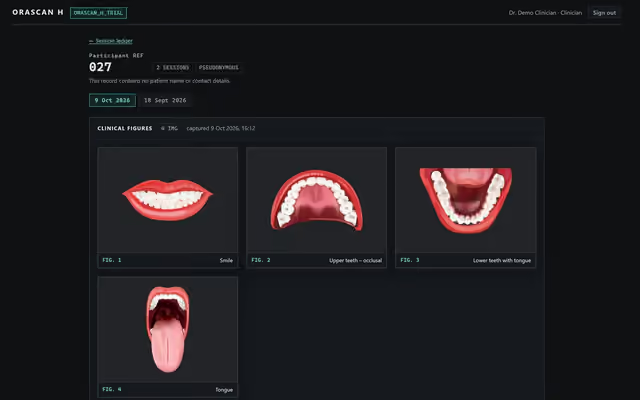
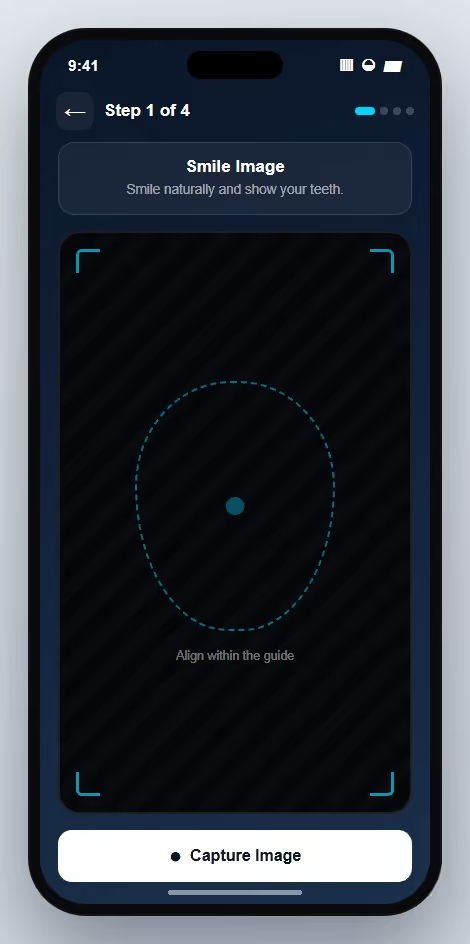
OraScan H reached 92% software completion in Sprint 3 with production-ready mobile app and backend. BLE pairing achieves stable connection within 3 seconds. The TFLite classifier runs on the Pi Zero 2W in under 500ms. The Flutter app is live on both iOS and Android with a full onboarding, pairing, and results flow. Hostinger backend handles session persistence with rate-limited API endpoints and MIME-validated image uploads.

Gallery & Demos
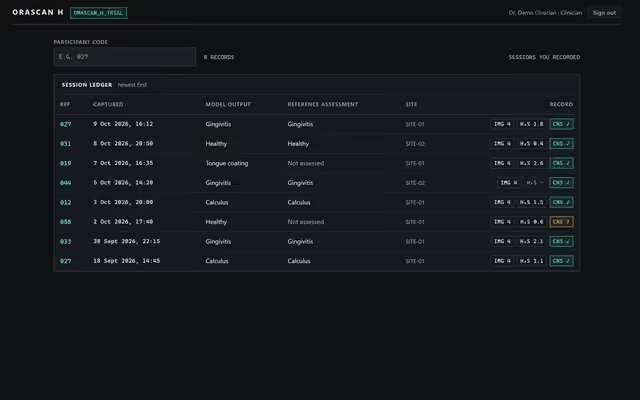
OraScan H — Halitosis IoT Device screenshot

Click any image or video to expand · ← → keys navigate

OraLens Healthcare Pvt. Ltd.

More from OraLens Healthcare Pvt. Ltd.

OraScan — Oral Disease Detection

End-to-end ownership

AI-powered oral disease classification system: a custom EfficientNet-B0 model trained on 78,000+ dental images achieving 94.7% accuracy across 11 disease categories, deployed via ONNX to kiosk hardware.

PythonPyTorchONNX

Product Management — OraScan AI Platform

Product Owner

Product definition and ownership for OraScan — an AI oral disease classification system targeting dental kiosk deployment. Defined accuracy targets per disease class, dataset curation strategy across 78K+ images, and the kiosk hardware integration spec.

PRD AuthoringDataset StrategyModel Evaluation Criteria

Product Management — OraScan H IoT Device

Product Owner

Product ownership of OraScan H — a consumer IoT halitosis detection device combining a Raspberry Pi Zero 2W, H2S gas sensors, and a Flutter mobile app. Defined the BLE UX flow, consumer-grade pairing experience, and sprint milestones from concept to 92% software completion.

PRD AuthoringHardware Requirements SpecBLE UX Definition

ArogyaLens — Dental AI Platform

End-to-end ownership

Enterprise hospital management platform with AI-powered oral screening (AWS Rekognition + SentiSight), multi-language support across 13 languages, OPD/IPD bed management, pharmacy, lab integration, HR/payroll, e-commerce, and telemedicine — plus a Flutter mobile app for intraoral capture and automated PDF report generation.

Node.jsNext.jsFlutter

Product Management — ArogyaLens Dental Platform

Product Owner

Product ownership of ArogyaLens — a comprehensive hospital management + AI diagnostics platform spanning 15+ modules (OPD/IPD, pharmacy, labs, HR/payroll, e-commerce, telemedicine), multi-language support across 13 languages, AI-powered oral screening, and a Flutter mobile capture app. Authored full PRD, SRS, and technology specification.

PRD AuthoringSRS DocumentationClinical Workflow Mapping

LuxySmile Oral Care — Product Website & Dashboard

End-to-end ownership

Full product suite for LuxySmile Oral Care (Oralens Healthcare): a React + Vite marketing site targeting B2B dental wellness programs for schools and corporates, plus an internal case management dashboard with direct-to-S3 uploads and CSV bulk import.

React 18ViteTypeScript

Product Management — LuxySmile Oral Care Brand

Product Owner

Product and go-to-market ownership for LuxySmile Oral Care — OraLens Healthcare's B2B wellness brand. Defined the dual B2B/B2C positioning strategy, school and corporate wellness program inquiry flow, and the AI kiosk upsell path on a premium product website.

PRD AuthoringB2B GTM StrategyBrand Positioning

Interested in this work?

Full architecture walkthrough and code review available during interviews.