
Sampling-Based & Graph-Search Motion Planning
Four path-planning methods tested on an iRobot Create.
Implemented
iRobot Execution
Research Lab
Tech Stack
The problem
A robot needs to find a safe path through a space filled with obstacles - without bumping into anything. But the straightforward approaches (search every possible position) get impossibly slow in larger spaces. The question was: which planning method is actually fast enough to work, and would it hold up on real hardware in a real room?
The challenge
Planning collision-free paths for a differential-drive robot requires reasoning in configuration space (C-space), not just Euclidean space - the robot's orientation is a third degree of freedom, and circular robot geometry must be inflated into C-space obstacles. Grid-based methods (Dijkstra, A*) are complete but scale poorly; sampling-based methods (PRM, RRT) scale better but are probabilistically complete. The final assignment required deploying the best planner onto a physical iRobot Create navigating a real room mapped from camera images.
Architecture & System Design
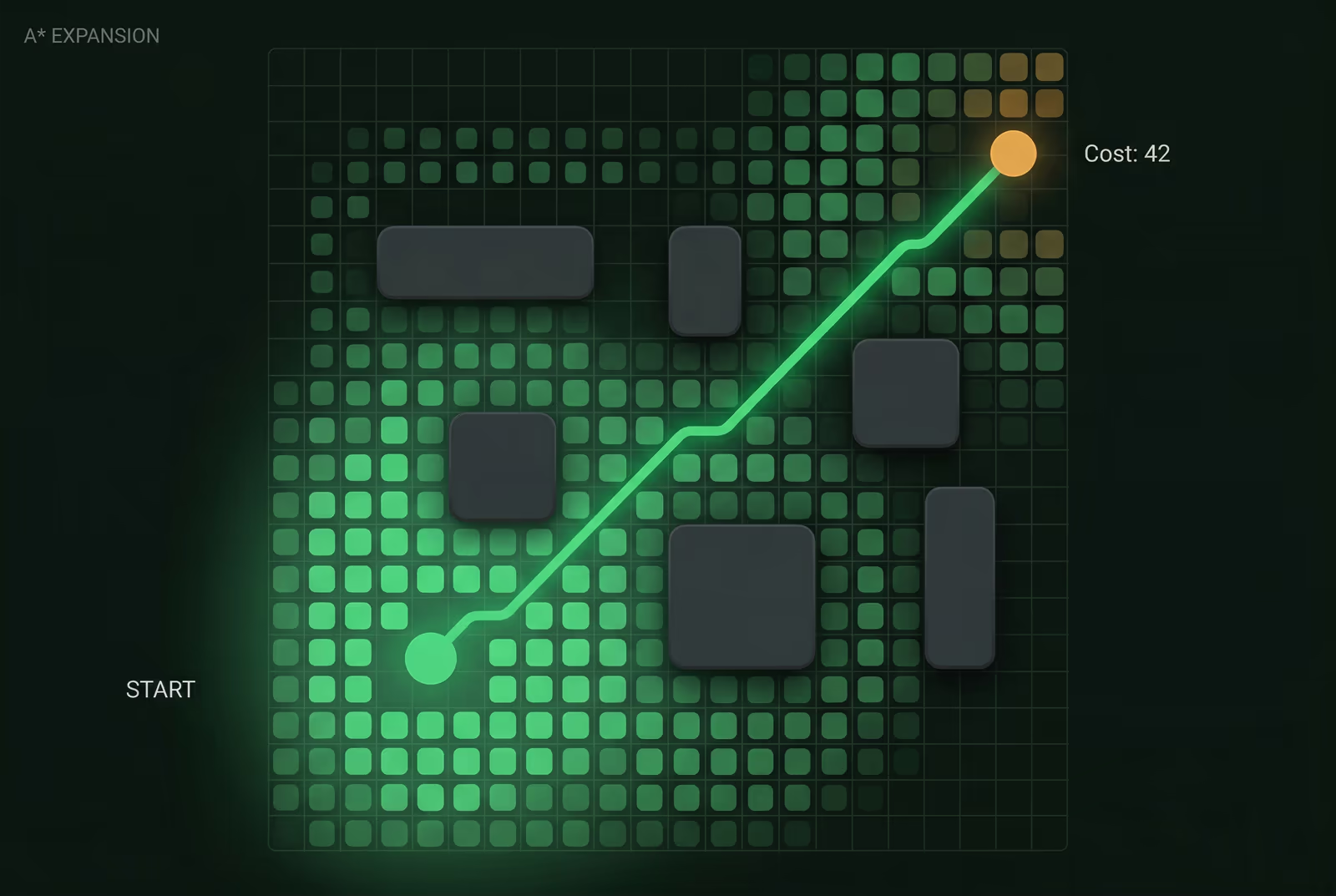
Path planning algorithms for robot navigation: Dijkstra and A* search graphs, PRM samples configuration space, RRT explores randomly. All tested on real robot with actual obstacle maps.
Dijkstra and A* operate on a weighted graph derived from a bitmap occupancy map - pixels become nodes, edges connect 8-connected neighbours, and A* uses Euclidean distance as the heuristic. PRM samples random free-space configurations, connects nearby nodes via a straight-line collision check, and queries the resulting roadmap with Dijkstra. The RRT implementation builds a tree by sampling random configs, finding the nearest tree vertex, propagating differential-drive kinematics (xDot, yDot, dirDot from left/right wheel velocities), and checking for map collision at each step. The final path is extracted via Dijkstra on the RRT adjacency matrix and executed on the iRobot Create via a MATLAB serial-port toolbox, with hardware playback scripts.
Results
All four planners successfully found collision-free paths in simulated bitmap environments. Dijkstra and A* produced optimal paths but were slow on large maps (>10s). RRT found paths in 2-5 seconds with up to 2000 tree vertices. The final assignment deployed RRT on the physical iRobot Create: the robot navigated a real room, executing the planned path via wheel velocity commands over Bluetooth serial. Path execution videos were recorded (LongPath.mp4, ShortPath.mp4).
Gallery & Demos
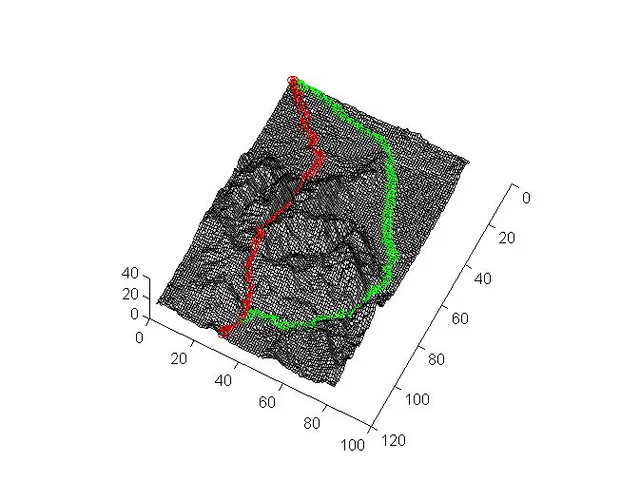
A* Algorithm Execution - Grid-Based Search
Dijkstra/A* graph search finding shortest path on occupancy grid with 8-connected neighbors.
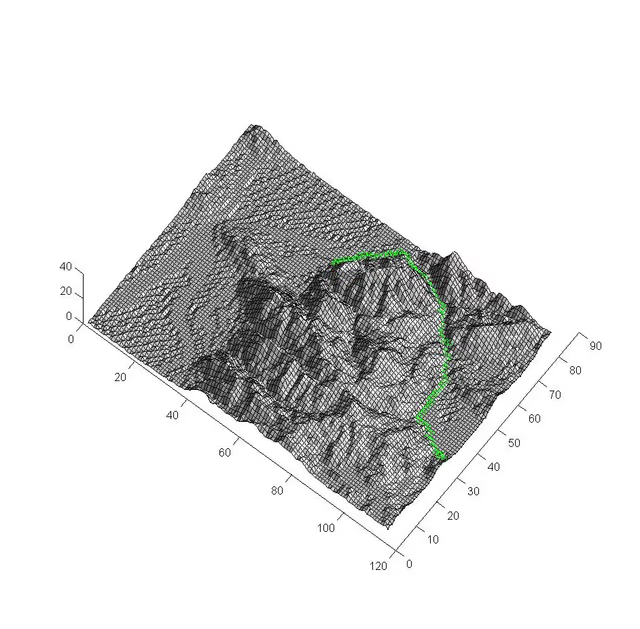
RRT Plan Visualization
Path found by the RRT planner on a 3D terrain cost surface, navigating from start to goal across the elevation landscape.
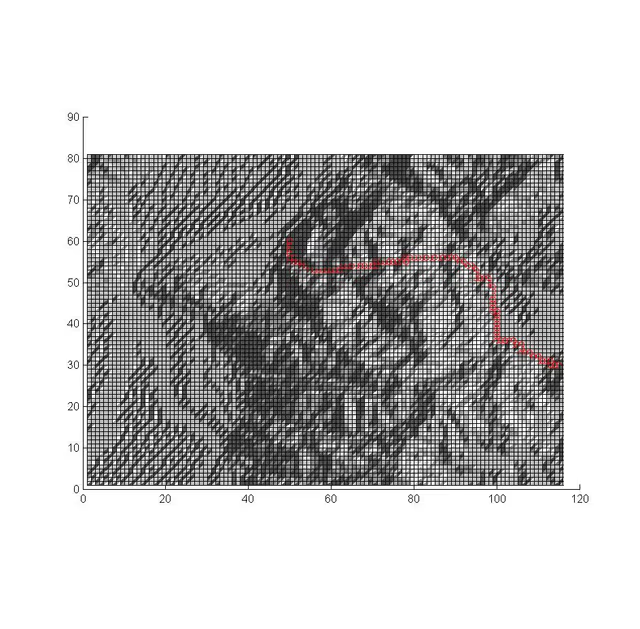
PRM Path Result
2D occupancy grid (top-down) showing the planned path extracted from the PRM roadmap, traversing the terrain from start to goal.
Click any image or video to expand · ← → keys navigate

More from University of Utah
Vision-Based Autonomous Quadrotor
MS thesis project: a quadrotor capable of autonomously taking off, navigating, and perching on branch-like structures using only visual feedback - designed for autonomous crop monitoring in agricultural fields.
Multi-Arm Coordination - 2-DOF QUANSER
Dual-arm robotic manipulation system using 2-DOF QUANSER robots with a master-slave architecture - one arm controlling position, the other controlling force - to collaboratively manipulate objects with precision.
Adaptive Backstepping - Indoor Micro-Quadrotor
Nonlinear controller design for an indoor micro-quadrotor with a suspended pendulum mass - a highly unstable configuration. Adaptive backstepping outperformed classical PID in robustness tests across multiple flight regimes.
Sensor-Based SLAM Navigation - iRobot Create
Autonomous mapping and navigation system on an iRobot Create platform using IR rangefinders and servo-mounted sensors for 360° SLAM - with RRT path planning to navigate complex maze environments.
PUMA 6-DOF Robot Arm - Forward & Inverse Kinematics
Forward and inverse kinematics solver for a 6-DOF PUMA 762 robot arm, using Denavit-Hartenberg parameters and an interactive 3D MATLAB GUI with joint sliders, a motion trail, and collision detection.
Monocular Depth Estimation for UAV Perch Landing
C++ and OpenCV vision system that estimates a landing perch's 3D position and orientation from one monocular camera. It uses image moments, covariance eigendecomposition, and focal-length triangulation for closed-loop quadrotor control.
RC Fixed-Wing Glider - Servo Actuation & Aerodynamics
Fixed-wing RC glider with two servos for roll and pitch, a brushless DC motor, and an ESC for forward thrust. Flight-tested outdoors.
Interested in this work?
I can walk through the architecture and code during an interview.