VC.
Frontend

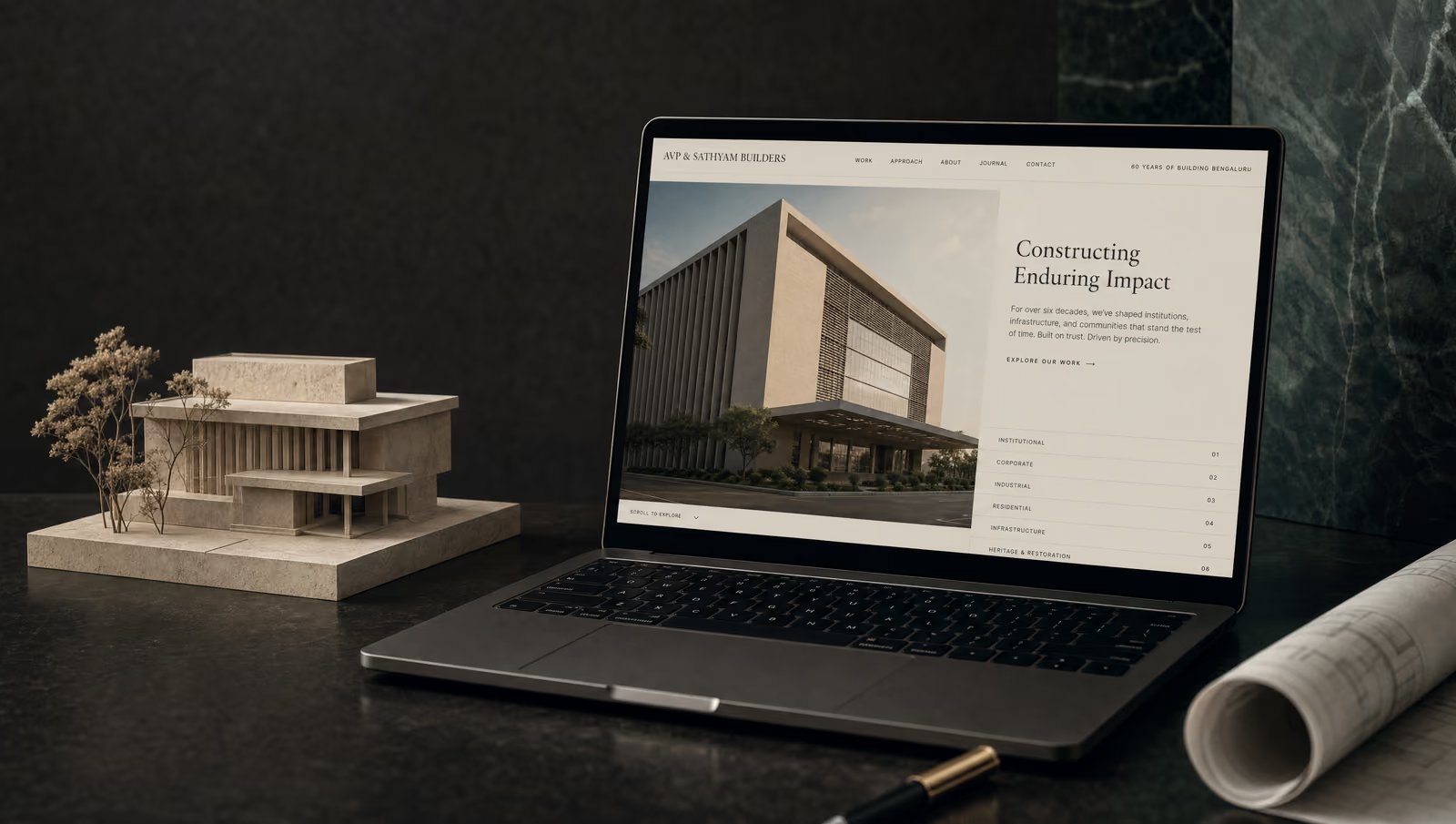
AVP & Sathyam Builders — Corporate Website

60 years of building excellence — brought to the web with a modern React stack.

0+

Years in Business

0+

Showcase Projects

React 0

Tech Stack

Tech Stack

React 18ViteFramer MotionRadix UIReact RouterLucide React

The Challenge

AVP & Sathyam Builders had decades of high-profile project experience — Hewlett Packard, Bangalore Baptist Hospital, Software Tech Parks, luxury apartments — but no digital presence that communicated that legacy to modern clients. The website needed to convey both heritage and contemporary capability, showcase a large catalogue of commercial and residential projects, and convert visiting architects and developers into inquiry leads.

Frontend Architecture

Single-page React 18 + Vite application with React Router for multi-page navigation. Framer Motion powers scroll-triggered animations throughout the project showcase and hero sections. Radix UI primitives provide accessible modal, dropdown, and tooltip components. Lucide React and Font Awesome 6 handle iconography. Google Fonts serves Epilogue (headings) and Manrope (body). The project data layer is static JSON, keeping build output CDN-deployable with zero backend dependency.

Code Walkthrough

Scroll-triggered project card reveal using Framer Motion's whileInView API.

  1. Step 1 of 3

    Scroll-triggered project card reveal with cascading delay

    AVP_Sathyam_Builders/src/components/home/ProjectsSection.jsx

    The Featured Projects grid has to feel alive as the visitor scrolls in, but firing all cards simultaneously looks cheap and dumps the work onto one frame. Mapping the card index into the transition delay (`delay: index * 0.1`) staggers the entrance into a visual rhythm, and `viewport={{ once: true }}` makes sure the animation only plays the first time it enters view — scrolling back up doesn't re-trigger it.

    jsx
    <div className="grid grid-cols-1 md:grid-cols-2 lg:grid-cols-4 gap-6">
      {projects.map((project, index) => (
        <motion.div
          key={index}
          initial={{ opacity: 0, y: 30 }}
          whileInView={{ opacity: 1, y: 0 }}
          viewport={{ once: true }}
          transition={{ duration: 0.5, delay: index * 0.1 }}
          className="project-card group"
        >
          <div className="aspect-square overflow-hidden">
            <img
              className="w-full h-full object-cover"
              alt={project.title}
              loading="lazy"
              src={project.image}
            />
          </div>
          <div className="absolute inset-0 bg-gradient-to-t from-black/90 via-black/50 to-transparent p-6 flex flex-col justify-end">
            <span className="text-accent text-sm font-heading font-semibold uppercase tracking-wider mb-2">{project.category}</span>
            <h3 className="text-xl font-heading font-semibold mb-2 text-white">{project.title}</h3>
            <p className="text-white/80 text-sm font-body opacity-0 group-hover:opacity-100 transition-opacity duration-300">{project.description}</p>
          </div>
        </motion.div>
      ))}
    </div>
    Takeaway

    Index-based transition delays turn a uniform grid into a staggered reveal with no extra state — the map index is already the animation clock.

  2. Step 2 of 3

    Hand-choreographed hero entrance with cascading delays

    AVP_Sathyam_Builders/src/components/home/HeroSection.jsx

    The hero has four distinct elements — legacy badge, headline, subhead, CTAs — that need to land in sequence so the 60-year brand story reads top-to-bottom, not all at once. Instead of reaching for Framer Motion's `staggerChildren` variants (which would require restructuring the JSX into a parent/child tree), each block is its own `motion.div` with a hand-tuned `delay` — 0s → 0.15s → 0.3s → 0.45s — so the choreography is legible straight from the JSX.

    jsx
    {/* Legacy Badge */}
    <motion.div
      initial={{ opacity: 0, y: 20 }}
      animate={{ opacity: 1, y: 0 }}
      transition={{ duration: 0.6 }}
      className="mb-6"
    >
      <div className="legacy-badge inline-flex">
        <Award className="w-4 h-4" />
        <span>Building Excellence Since 1965</span>
      </div>
    </motion.div>
    
    {/* Main Headline */}
    <motion.div
      initial={{ opacity: 0, y: 20 }}
      animate={{ opacity: 1, y: 0 }}
      transition={{ duration: 0.6, delay: 0.15 }}
    >
      <h1 className="text-white mb-6 font-heading text-4xl md:text-5xl lg:text-6xl xl:text-7xl leading-tight">
        60 Years of Architectural Precision & Craftsmanship
      </h1>
    </motion.div>
    
    {/* Subheading */}
    <motion.div
      initial={{ opacity: 0, y: 20 }}
      animate={{ opacity: 1, y: 0 }}
      transition={{ duration: 0.6, delay: 0.3 }}
    >
      <p className="text-white/90 text-lg md:text-xl lg:text-2xl mb-10 font-body leading-relaxed max-w-2xl">
        Where Traditional Craftsmanship Meets Modern Solutions
      </p>
    </motion.div>
    
    {/* CTA Buttons */}
    <motion.div
      initial={{ opacity: 0, y: 20 }}
      animate={{ opacity: 1, y: 0 }}
      transition={{ duration: 0.6, delay: 0.45 }}
      className="flex flex-wrap gap-4"
    >
      <button className="btn-primary group">
        Explore Our Projects
        <ArrowRight className="ml-2 h-5 w-5 transition-transform group-hover:translate-x-1" />
      </button>
    </motion.div>
    Takeaway

    When a hero only animates once, inline delays beat variants — the JSX reads as a storyboard instead of a state machine.

  3. Step 3 of 3

    Route-aware page transitions with AnimatePresence

    AVP_Sathyam_Builders/src/components/PageTransition.jsx

    React Router swaps routes instantly, which makes a multi-page marketing site feel jarring. Wrapping the outlet in `AnimatePresence mode="wait"` forces the outgoing page to finish its exit animation before the incoming one starts — and keying the `motion.div` on `location.pathname` is what tells Framer Motion that a route change is a remount, not a re-render. The cubic-bezier `[0.0, 0.0, 0.2, 1]` is Material's standard-decelerate curve, which feels natural for incoming content.

    jsx
    const pageVariants = {
      initial: { opacity: 0, y: 20 },
      animate: {
        opacity: 1,
        y: 0,
        transition: {
          duration: 0.4,
          ease: [0.0, 0.0, 0.2, 1]
        }
      },
      exit: {
        opacity: 0,
        y: -20,
        transition: { duration: 0.3 }
      }
    };
    
    export const PageTransition = ({ children }) => {
      const location = useLocation();
    
      return (
        <AnimatePresence mode="wait">
          <motion.div
            key={location.pathname}
            variants={pageVariants}
            initial="initial"
            animate="animate"
            exit="exit"
          >
            {children}
          </motion.div>
        </AnimatePresence>
      );
    };
    Takeaway

    `mode="wait"` + a pathname key is the minimal pattern for route transitions — one wrapper component turns every React Router navigation into a choreographed fade.

Results

The live site at avpsathyambuilders.com presents AVP & Sathyam Builders' full project catalogue — spanning pharmaceutical manufacturing facilities (Wrigley India, US FDA compliant), tech campuses (Hewlett Packard Electronic City), hospitals (Bangalore Baptist Hospital — zero disruption to ongoing operations), and luxury residential projects — with animated storytelling and a structured inquiry flow for new client enquiries.

Interested in this work?

Full architecture walkthrough and code review available during interviews.